Design with the system.
Work with a defined Lux Blox parts catalog and compatible connections. The goal is an arrangement students can translate into a physical model.
CTE Launch Lab / Digital design & physical evidence
A design workspace built around Lux Blox connections: the structures, mechanisms, and assemblies students can explore with real parts.
Imagine a new arrangement, gather the parts, and put it to a physical test. Let the results—not a predetermined answer—guide the next design.
The current Builder opens on StructureSmart.org with a quick-start guide. Use it now for geometric assembly and local design files. The Spring 2027 enhancement is planned; it is not required to try today’s workspace.
Try it now · No account required
Try a folding net and connect it to geometry →
Digital design grounded in real construction
Work with a defined Lux Blox parts catalog and compatible connections. The goal is an arrangement students can translate into a physical model.
Save and reopen design files locally in the current Builder. Automatic parts-list generation is planned for the Spring 2027 Launch Lab enhancement.
Explore a different configuration, a new mechanism, or a repeated assembly. The starting challenge opens a direction for invention.
Two environments. One cycle.
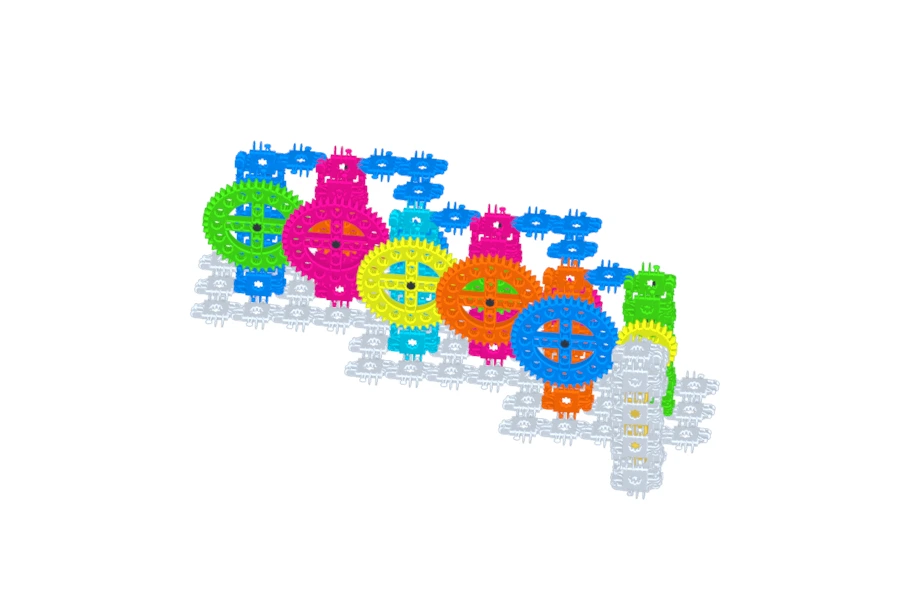
A gearbox can look convincing on screen and still bind or stall when built. That difference gives students a real engineering problem.
Plan the frame, transmission, and moving assembly.
Translate the design into Lux Blox parts.
Observe movement, load, friction, and alignment.
Change the design using evidence, then repeat.
The current Builder supports geometric assembly, communication and local design files. Physical builds are used to test actual forces, loads, friction and motor performance. Guided CTE planning and automatic parts lists are planned for Spring 2027; advanced physics simulation and integrated robotics controls belong to later expansion.
Let’s talk about your classroom.
Talk with us about the enhanced Builder, classroom devices, and Launch Lab implementation.