Structure Smart Digital Builder

Build an idea. Compare it with the real thing.

Explore Lux Blox forms in the current Builder. Begin with a shape, examine its connections and compare what you see with a physical model.

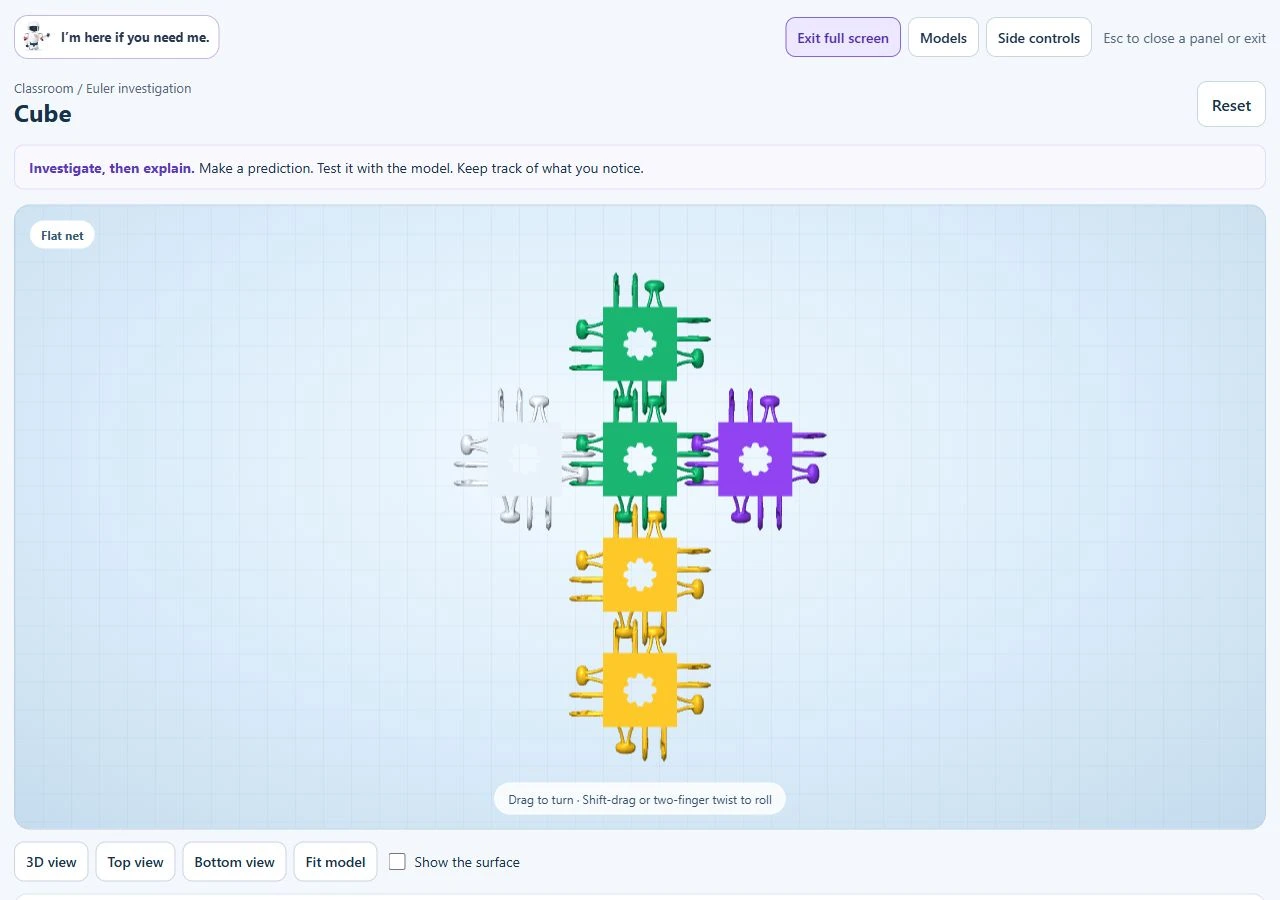
The existing Builder cube-net example for comparing flat and folded configurations.
Builder cube-net example. Compare it with the physical construction described in the mathematics guide.

A first investigation

  1. Open the folding-net example on the mathematics page.
  2. Predict which faces will meet, then use its fold controls.
  3. Build the physical version shown in the guide and record what happens.
  4. Sketch a change and explain it to a partner.
Open the guided example →

Current workspace

The public Builder includes a parts palette, a model workspace and introductory help. It is in active development. Save files locally; original account services are unavailable.

A digital model is a design exploration. Test fit, movement and loading with real materials. The Builder does not establish a product safety or load rating.

Planning for school use

Try the current workspace on your school’s devices before planning a lesson. The physical first investigation needs no digital device. Avoid including student personal information in saved or shared files.

Robotics is a developing pathway. Controllers, sensors and programmable equipment are not implied by a kit or proposed lab; confirm components and capabilities in the written offer.
Privacy and classroom use →Discuss your classroom setup →